
How to Use Base44 to Build a Website With AI: A Step-by-Step Guide
You can try Base44 at https://base44.com/.
In 2005, a college student named Alex Tew came up with one of the strangest business ideas in internet history.
He created a webpage containing one million pixels and sold the space for $1 per pixel. Businesses could purchase a small section of the page, upload an image or advertisement, and link it to their own website.
The result became known as The Million Dollar Homepage. The website went viral and eventually generated more than $1 million in gross revenue.
The idea was simple, but bringing it to life in 2005 still required technical knowledge. You needed to build the website, create the pixel grid, track the available space, collect submissions, and make sure everything continued working as more advertisers joined.
Today, tools like Base44 can handle much of that initial technical work for you.
To see what was possible, I used Base44 to build a modern version of The Million Dollar Homepage. I described the idea in plain English, and Base44 turned it into a real, interactive website in just a few minutes.
That does not mean one prompt will automatically produce a million-dollar business. A great idea, strong execution, and the ability to attract customers still matter.
What has changed is how quickly you can turn an idea into something people can actually use.
In this beginner-friendly Base44 tutorial, I will walk you through that entire process. You will learn how to write your first prompt, review what Base44 creates, improve the design and functionality, test the experience, add payments, and publish your finished website.
What Is Base44?
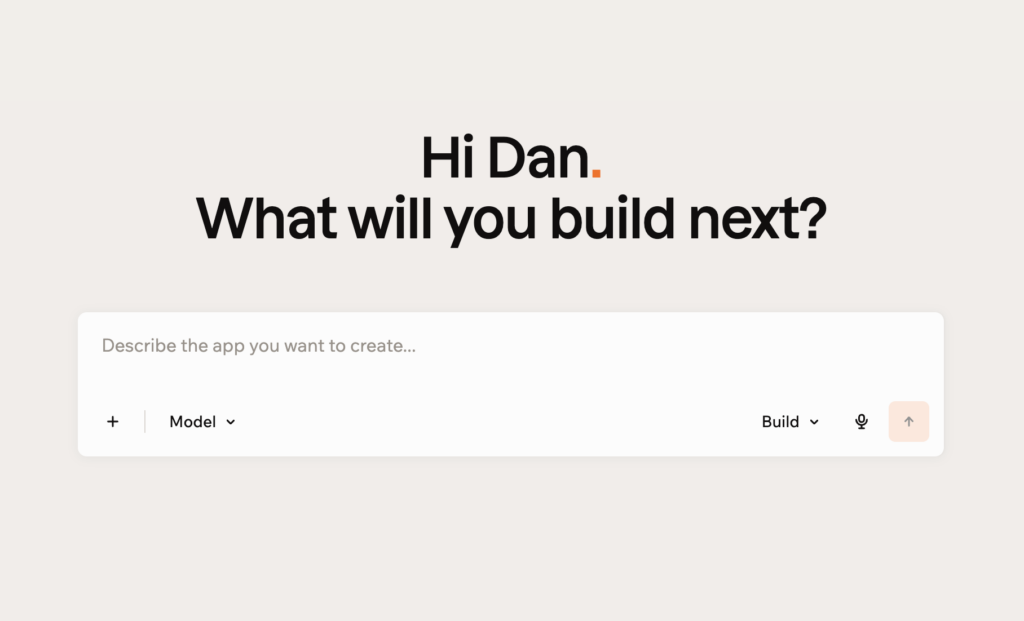
Base44 is an AI-powered platform that allows you to build websites, web apps, and AI agents by describing what you want in normal language.
Instead of manually writing code, you communicate with an AI builder. You explain what you want the project to do, who it is for, what it should look like, and how people should interact with it.
Base44 then creates the design and functionality for you.
It can also handle many of the pieces that normally make building software complicated, including:
- Page layouts and responsive design
- Databases and data storage
- User accounts and authentication
- Forms and interactive features
- User roles and permissions
- Payment integrations
- Hosting and publishing
This is important because a website that looks good is not always the same as a website that works.
Traditional website builders may help you create pages, but you often need additional tools or technical help when you want users to create accounts, submit information, save data, make payments, or interact with one another.
Base44 is designed to create those functional experiences as part of the same building process.
What Can You Build With Base44?
You can use Base44 to create a simple landing page, but its most interesting use cases are projects that need to do something.
For example, you could build:
- A client portal where customers can view documents and project updates
- A booking website that displays available appointments
- A lead-generation tool that creates personalized estimates
- An internal dashboard for tracking projects, sales, or inventory
- A membership website with private content
- A marketplace that connects buyers and sellers
- A directory of local businesses or resources
- An AI-powered tool that analyzes information or generates personalized results
You do not need to begin with your biggest possible idea.
In fact, your first project will usually be better if you start with one clear problem and one important action you want the user to take.
Is Base44 Free?
Base44 offers a free plan, so you can create an account and experiment with your first project without entering a credit card.
The platform uses credits when its AI builds or changes something for you. Previewing your website and clicking through it does not use credits. Manual design changes made through Edit mode also do not use message credits.
Paid plans provide additional credits and unlock more advanced capabilities.
For example, custom domains, backend functions, and payment features require a Builder plan or higher. Because plans and pricing can change, I recommend checking Base44's current pricing page before choosing a plan.
What to Do Before You Start Building
You do not need to write a technical specification before opening Base44. However, spending a few minutes defining your idea will give the AI a much stronger starting point.
Try to answer these five questions:
- What are you building?
Describe the project in one sentence.
- Who is it for?
Identify the person or group who will use it.
- What should users be able to do?
Focus on the main action or workflow.
- What information should the project save?
Think about accounts, submissions, orders, reservations, appointments, or other data.
- How should it feel?
Describe the visual style and the impression you want to create.
For our Million Dollar Homepage example, the answers might look like this:
- What: A website that sells advertising space on a large digital grid.
- Who: Businesses, creators, and anyone who wants to promote a link.
- Main action: Select available space, upload an image, add a link, and submit a purchase.
- Saved information: The selected location, image, destination URL, customer information, payment status, and approval status.
- Style: A playful reference to the early internet presented through a cleaner, more modern interface.
If you have an idea but cannot answer these questions yet, you can use Plan mode.
Instead of immediately changing your project, Plan mode asks questions, helps organize the idea, and creates a structured plan for you to review before Base44 begins building.
How to Use Base44: Step-by-Step Tutorial
Step 1: Open Base44 and Create an Account
Go to https://base44.com/ and select the option to start building.
You can begin describing your idea immediately. Base44 will ask you to create an account or sign in so it can save your work.
Once you are signed in, you have several ways to begin. You can use a standard prompt, work through Plan mode, start from a website you already own, import a Figma design, or connect supported tools.
For this tutorial, we will start with a prompt.
Step 2: Write Your First Base44 Prompt
Your first prompt should explain the foundation of the project.
It does not need to include every button, color, or possible edge case. It should give Base44 enough context to understand what you are building and what the first working version needs to accomplish.
A useful first prompt normally includes:
- The type of website or app
- The intended user
- The primary action users should take
- The most important pages or sections
- Any important rules the experience must follow
- The general visual direction
Here is a starter prompt you can use to recreate the concept from this tutorial:
Build a modern version of The Million Dollar Homepage. The website should contain a large interactive advertising grid representing one million pixels. Divide the grid into selectable blocks and allow visitors to see which blocks are available and which have already been claimed.
A visitor should be able to select available space, see how many pixels they selected, calculate the cost at $1 per pixel with a minimum purchase of 100 pixels, upload an image, enter a destination URL, add a short description, and preview the placement before submitting it.
The homepage should make the grid the main visual focus. Above the grid, show the number of pixels sold, the number remaining, and the total value of the claimed space. Include a clear "Buy Pixels" button and a short section explaining how the website works.
Create a simple admin area where the website owner can review submissions, approve or reject advertisements, and mark placements as active. Use sample advertisers and demo data so the website feels populated when it first loads.
The design should combine early-internet nostalgia with a clean modern interface. Use a bold headline, simple navigation, clear buttons, and a responsive layout that works on desktop and mobile. Do not connect live payments yet. Build a working demo that I can test first.
Notice that this prompt does more than say, "Build The Million Dollar Homepage."
It explains what should appear on the screen, what visitors should be able to do, what information needs to be saved, and what the finished experience should feel like.
You can make your prompt longer, but length alone does not make a prompt better. The goal is to remove important ambiguity without trying to plan the entire project in one message.
Step 3: Let Base44 Create the First Version
Submit the prompt and allow Base44 to build the website.
As it works, Base44 will generate the pages, components, data structure, and functionality it believes the project needs.
You can watch the website appear in the preview and begin interacting with it as soon as the first build is ready.
The Base44 editor has three main working areas:
- AI chat: This is where you describe changes, add features, ask questions, and continue developing the project.
- Preview: This displays the current version of the website and lets you interact with it like a visitor.
- Dashboard: This is where you manage areas such as users, data, analytics, integrations, security, domains, and publishing.
Your first result may already look impressive, but treat it as a working draft.
The purpose of the first prompt is to create a foundation that you can test and improve. It does not need to be the final version of the website.
Step 4: Test the Main Experience Before Changing the Design
It is tempting to immediately change the colors, fonts, images, and spacing.
Before you focus on appearance, make sure the central idea works.
For the pixel website, I would test the following:
- Can I clearly tell which blocks are available?
- Can I select and deselect space on the grid?
- Does the selected pixel count update correctly?
- Does the price change based on the selection?
- Can I upload an image and enter a link?
- Can I preview the submission before completing it?
- Does a submitted block become unavailable to another visitor?
- Can an administrator review the submission?
Click every button and complete the entire flow yourself. Do not assume something works because the screen looks finished.
If a feature is missing, describe the behavior you want in the AI chat.
For example:
Update the advertising grid so visitors can click and drag to select a rectangular group of available blocks. Show the width, height, total number of pixels, and price of the current selection beside the grid. Do not allow a selection to overlap blocks that are already claimed.
This is more useful than telling Base44, "The grid does not work."
It explains the result you want, where it should happen, and the rules the feature should follow.
Step 5: Improve the Website With Focused Follow-Up Prompts
One of the most important things to understand about Base44 is that building is a conversation.
You describe what you want, Base44 creates it, you review the result, and then you provide more specific instructions.
You do not need to fit the finished product into one enormous prompt.
Focused follow-up prompts are usually easier to control because each message has one clear objective.
Prompt to Improve the Homepage
Redesign the top of the homepage so a first-time visitor immediately understands the idea. Add a strong headline, one sentence explaining that anyone can own a permanent piece of the grid, a primary "Claim Your Pixels" button, and live counters for pixels sold, pixels remaining, and total sales. Keep the advertising grid visible without requiring too much scrolling.
Prompt to Improve the Visual Style
Give the website a playful early-internet personality without making it feel outdated or difficult to use. Use a light neutral background, black text, bright accent colors, crisp borders, and subtle pixel-inspired details. Keep the buttons, forms, and navigation clean, modern, and accessible.
Prompt to Improve the Submission Flow
Turn the pixel purchase process into a clear step-by-step flow. Step one should be selecting available space. Step two should collect the advertiser's image, website URL, short description, name, and email address. Step three should show a final preview and order summary. Preserve the user's progress if they move backward to edit an earlier step.
Prompt to Improve the Admin Experience
Create an administrator dashboard with separate sections for pending, approved, rejected, and active advertisements. Each submission should show the customer's information, selected pixel coordinates, image, destination URL, price, payment status, and submission date. Add buttons to approve, reject, or request a correction.
Prompt to Improve Mobile Usability
Optimize the website for mobile screens. Allow visitors to zoom and pan around the pixel grid without accidentally selecting blocks. Keep the current selection and price visible in a sticky panel at the bottom of the screen. Make all buttons large enough to tap comfortably.
You do not need to use all of these prompts.
They demonstrate how to separate a large idea into manageable improvements instead of asking Base44 to change every part of the project at once.
Step 6: Make Visual Changes With Edit Mode
Not every change requires a new AI prompt.
Select Edit in the AI chat, then click an element inside the preview.
Depending on the element, you can manually adjust details such as its color, text, spacing, typography, corner radius, or position.
Manual changes made through Edit mode do not use message credits. This makes Edit mode useful for small visual adjustments that do not require Base44 to rethink an entire page.
For broader design changes, use the Theme panel. This allows you to change global colors and fonts so the entire project stays visually consistent.
A simple rule that works well is:
- Use the AI chat when a change affects the structure, behavior, or overall direction.
- Use Edit mode when you already know which visible element you want to adjust.
- Use the Theme panel when you want to change global colors or fonts.
If a prompt takes the project in the wrong direction, you can use the Revert option beneath that message.
Base44 also maintains version history, which gives you another way to return to an earlier version of the project.
Step 7: Add Payments When the Demo Is Working
If you are building a website that needs to accept money, do not connect live payments until the complete user flow works with demo data.
Base44 supports payment setup through its AI chat. Stripe is available on the Builder plan and higher. Base44 may also offer Base44 Payments powered by Wix to eligible users.
For this example, you could ask:
Connect a payment method to the pixel purchase flow. Charge $1 per pixel with a minimum purchase of 100 pixels. The payment amount should be based on the size of the user's confirmed selection. Start in a test environment only. After a successful test payment, save the order, reserve the selected blocks, and mark the advertisement as pending administrator approval.
Base44 will guide you through the available setup.
If you select Stripe, it begins in a test environment so you can test the checkout process without charging a real card.
Stripe checkout testing must be completed on the published version of the website, not inside the editor preview. Base44 provides a test card number through the Stripe section of your dashboard.
Do not only test a successful payment.
Confirm what happens when:
- A payment is canceled
- A payment fails
- A visitor refreshes the page during checkout
- Two people attempt to select the same space
- A customer uploads the wrong file type
- An administrator rejects a paid submission
Before accepting real payments, add the appropriate terms, privacy policy, refund policy, contact information, and any other disclosures your business requires.
Step 8: Test the Entire Website
Once the core experience is working, test the project from the perspective of someone who has never seen it before.
Use this final checklist:
- Open every page and click every link.
- Complete every form using realistic information.
- Test the website on both desktop and mobile layouts.
- Open the live URL in an incognito or private browser window.
- Check what signed-out visitors can access.
- If the project has different user roles, test each role separately.
- Confirm that submissions appear correctly in the dashboard.
- Test payment success, failure, and cancellation.
- Proofread every heading, button, error message, and confirmation.
- Make sure text is readable and buttons are easy to use on a phone.
You can also ask Base44 to help identify potential issues:
Review the complete user journey from arriving on the homepage to submitting a pixel purchase. Identify broken interactions, confusing steps, missing validation, mobile usability problems, accessibility issues, and edge cases. Explain what you find before making changes.
Using Discuss mode for this type of review is helpful because you can evaluate Base44's suggestions before applying them.
Step 9: Publish Your Base44 Website
When you are ready to share the project, select Publish from the top bar.
From the publishing menu, you can:
- Copy the website's Base44 URL
- Choose who can access the project
- Share a link with other people
- Publish the latest version of your changes
- Connect or purchase a custom domain on an eligible plan
Your project receives a Base44 web address, so you can share it without purchasing a separate domain.
If you are launching a public business, connecting your own domain will make the website easier to remember and give it a more professional identity.
Remember that making changes in the editor does not automatically mean visitors can see them. Publish the project again when you are ready to push the newest changes to the live website.
Step 10: Set Up Search Visibility
If your website should appear in Google or AI-powered search results, open the SEO & GEO area in the Base44 dashboard.
Base44 provides the technical foundation for search visibility, including rendered page content, sitemaps, robots.txt files, canonical tags, and other technical elements.
You are still responsible for giving each public page clear, helpful, and original content.
At minimum:
- Give every important page a clear title.
- Use one descriptive main heading and logical subheadings.
- Write a unique meta title and description for each public page.
- Use descriptive link text instead of vague phrases such as "click here."
- Add useful alt text to important images.
- Connect a custom domain for a serious public project.
- Connect Google Search Console and submit your sitemap.
For our example, the homepage metadata could be:
Meta title: Own a Piece of the Internet | The New Million Pixel Grid
Meta description: Claim your place on a one-million-pixel digital billboard. Choose your space, upload your image, and share your website with the world.
How to Write Better Base44 Prompts
You do not need to learn a special prompting language.
The best Base44 prompts usually share a few simple qualities.
Describe What You Want to See
Do not only name the general idea. Describe the screen, the important information, and the actions available to the user.
Too vague:
Build a sales dashboard.
More useful:
Build a sales dashboard with summary cards for monthly revenue, new customers, average order value, and refunds. Add a line chart comparing revenue over the past 12 months and a table of the 10 most recent orders.
Explain Why the Change Matters
Context helps Base44 make better decisions when you have not specified every detail.
Less useful:
Move the purchase button higher.
More useful:
Move the purchase button directly beneath the order summary so customers can continue as soon as they confirm the price.
Make One Meaningful Change at a Time
If you ask Base44 to redesign every page, add payments, change the data structure, and create a new admin area in one message, it becomes harder to know which change caused a problem.
Build the core experience first, test it, and then add features in logical stages.
Identify the Page or Element
Tell Base44 exactly where the change should happen.
For example:
On the homepage, reduce the height of the introduction section so the first row of the advertising grid is visible on a standard laptop screen.
This is more precise than saying, "Make the homepage shorter."
Use Discuss Mode Before Large Changes
Discuss mode lets you ask questions and plan a feature without immediately changing the project.
It is useful when you know the outcome you want but are unsure how the workflow should be structured.
For example:
I want advertisers to reserve space before payment, but I do not want abandoned checkouts to permanently block the grid. Propose a fair reservation system, including how long a reservation should last and what happens when payment fails. Do not change the app yet.
After reviewing the recommendation, switch back to the default mode and tell Base44 which version to implement.
A Reusable Base44 Prompt Template
If you want to build something completely different, copy the template below and replace the bracketed sections.
Build a [type of website or app] for [the people who will use it]. The goal is to help them [main problem or desired outcome].
Users should be able to [main action], [second important action], and [third important action]. The primary workflow should begin with [starting point], guide the user through [important steps], and end with [successful result].
Create the following pages or sections: [list the essential pages]. Save [list the important information or data]. Include [accounts, permissions, notifications, payments, integrations, or other required features].
The design should feel [three to five descriptive words]. Use [colors, typography, layout, or visual references]. Prioritize [clarity, speed, trust, accessibility, mobile use, or another goal].
Start with the smallest complete version of the core experience. Use realistic demo data so I can test it. Do not connect live payments or external services until I confirm the main workflow is working.
Common Base44 Mistakes to Avoid
Starting With an Idea That Is Too Vague
"Build me a million-dollar website" sounds exciting, but it does not tell Base44 what to create.
Explain the user, the problem, and the action the website should support.
Expecting the First Prompt to Be the Final Product
The first result is a starting point.
The best projects usually improve through several rounds of testing and focused feedback.
Fixing the Design Before the Main Workflow
A polished checkout that does not save orders is not useful.
Test the central experience before spending time on minor visual details.
Changing Too Many Things in One Message
Large prompts can create broad changes that are difficult to evaluate.
Separate functionality, layout, copy, and visual refinements whenever possible.
Describing the Problem Without Describing the Fix
Instead of saying, "This page is confusing," explain which information should be easier to find and how the page should guide the user.
Connecting Live Services Too Early
Use demo data and test environments while the experience is still changing.
Only connect live payments, customer data, or business systems after you have tested the workflow carefully.
Publishing Without Testing Mobile
A website can look excellent on a large monitor and become difficult to use on a phone.
Always test navigation, buttons, forms, and interactive elements at multiple screen sizes.
Treating AI-Generated Content as Finished Copy
Review every headline, paragraph, button, error message, and legal page.
The content should sound like your business and accurately explain what the product does.
Frequently Asked Questions About Base44
Do I Need to Know How to Code to Use Base44?
No. You can create and edit a Base44 project using normal language and visual editing tools.
Base44 also offers access to the underlying code for developers who want more control, but beginners do not need to use it.
Can Base44 Build Both Websites and Apps?
Yes. You can use Base44 to build websites, interactive web apps, internal tools, dashboards, portals, and AI-powered experiences.
Can I Use Base44 for Free?
Yes. Base44 offers a free plan that allows you to begin building and testing an idea.
More advanced features and higher credit limits require a paid plan.
Can I Publish a Base44 Website Without Buying a Domain?
Yes. Base44 gives your project a built-in web address that you can publish and share.
Connecting a custom domain is optional and requires an eligible plan.
Can I Accept Payments Through Base44?
Yes. Base44 supports payment integrations, including Stripe and Base44 Payments powered by Wix for eligible users.
Payment features require a Builder plan or higher. Always use the available test environment before accepting real payments.
Can I Edit the Website After Publishing It?
Yes. You can continue making changes with the AI chat, Edit mode, or other tools.
Publish the project again when you want the newest version to appear on the live website.
Will One Base44 Prompt Create a Finished Website?
A detailed prompt can create an impressive first version, but you should expect to test and refine it.
Think of the first build as the beginning of the process, not the end.
Will My Base44 Project Work on Mobile?
Base44 automatically adapts projects for mobile screens, and the editor includes mobile preview options.
You should still test the complete experience on a real phone and request mobile-specific changes when necessary.
Final Thoughts
The most exciting thing about Base44 is not that it can guarantee a million-dollar idea. No AI tool can do that.
What it can do is make an idea dramatically faster and less expensive to test.
Instead of spending months wondering whether something might work, you can describe it, build a functional first version, put it in front of real people, and learn from what happens.
The quality of the idea still matters. Understanding the user still matters. Distribution, timing, trust, and persistence still matter.
Base44 simply makes the technical starting line much easier to reach.
If you have an idea sitting in a notes app, a document, or the back of your mind, try turning the smallest useful version of it into a real project.
You can start building with Base44 at https://base44.com/.