
How to Create Your Own AI Toy Figurine (Step-by-Step Tutorial)
Website mentioned: Nim.video
If you’ve been scrolling social media lately, you’ve probably seen people turning themselves into little toy figurines using AI.
It looks complicated, but the truth is, you don’t need any advanced skills to make one for yourself.
In this tutorial, I’ll walk you through the exact process, step by step, so you can bring your own toy version to life.
Step 1: Go to the Right Website
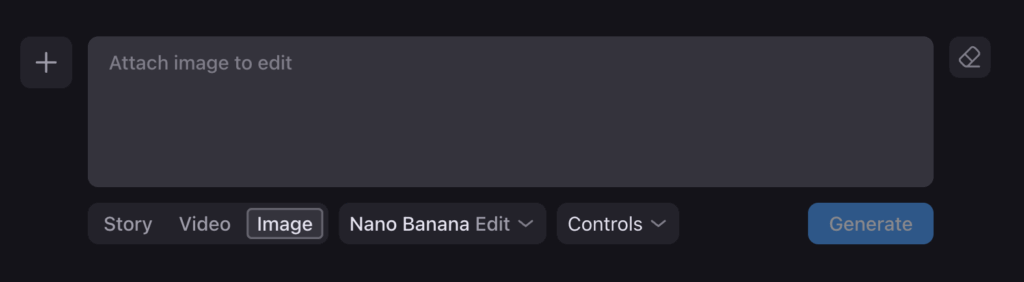
The first tool you’ll need is Nim, a platform that lets you generate images and videos using AI. Don’t worry, it’s free to try and very beginner-friendly.
Once you’re on the site, click "Create" in the main menu and then click "Image" down by the prompt box. From there, click the dropdown and select the image model called Nano Banana.
What is Nano Banana?
Nano Banana is a state-of-the-art image model from Google DeepMind that makes it easy to turn regular photos into creative, high-quality outputs.
It’s designed to keep your appearance consistent while letting you add stylized details, change backgrounds, or blend multiple images together.
In this case, it’s what gives your photo that playful toy-figurine look without needing any design or editing skills.
Step 2: Upload Your Photo
Click the + button next to the prompt box, then select Edit Image.
From here, upload a clear photo of yourself (ideally one where your face is fully visible).
Step 3: Use the Prompt
Next, you’ll need to paste in a prompt. Prompts are simple text instructions that guide the AI on how to transform your photo.
The commercialization of 1/7 of the characters in the drawing. It must be a full body figurine of the person in the photo. Realistic style, real environment, handmade on the computer desk. The contents of the computer screen are the hand-done C4D modeling process. The computer screen is placed next to the computer screen, the BANDAI-style plastic toy box printed with the original painting, and the computer table also has handmade tools such as brush, pigment, knife, etc. Create a 1/7 scale commercialized figurine of the character based on the reference photo. The figurine must keep the exact outfit and pose. The figure should be designed in a hyper-realistic collectible toy style, made of glossy high-quality plastic with clean molded details, subtle shading, and a slight reflective sheen. It is posed naturally on a round transparent acrylic base (no text or logos on the base).
The figurine is placed on a modern Aamina desk setup, surrounded by everyday desk items. A curved gaming monitor in the background shows a 3D modeling process of this same figurine, with visible wireframe and render preview elements. Next to the screen, there is a large toy packaging box labeled “[YOUR NAME HERE]” styled like a premium gamer collectible package. The box must be much larger than the toy, with a semi-open transparent front panel so the figurine is partially visible inside. The packaging design combines character themes along with flat 2D illustrations of the character. The box should look glossy, bold, and premium, like high-end merchandise.
On the desk, scatter realistic unboxing details: a folded user manual a few loose plastic blister tray parts accessory pieces (extra sunglasses, controller prop, alternate hand) packaging foam a small cutting tool or tape suggesting the toy was just unpacked The entire scene should be rendered in ultra-realistic photographic quality, with RGB ambient desk lighting, sharp depth-of-field focus, and natural reflections on the glossy toy surface—making it look like a real collectible gamer figurine display.
Make sure to customize the prompt so it reflects your style or the kind of toy figurine look you want. For example, add your name and change the scattered details to better fit your image.
Once you’ve added your prompt, hit Generate.
Step 5: Turn Your Figurine Into a Video
Click on the image you just generated, and choose Image to Video. For the video model, select Kling.
Now you’ll need to use another prompt to guide the AI on how your toy should move.
A realistic hand gracefully enters from the right side of the frame. It gently grasps a toy figurine, lifting it delicately as if it were a precious item. The fingers curl around the body of the figurine, showcasing the detailed craftsmanship as the hand rotates it, inspecting every intricate aspect from different angles. The warm, soft lighting enhances the textures and colors of the figurine, creating a visually pleasing atmosphere. The scene flows seamlessly, drawing viewers into the meticulous examination of the toy, emphasizing both the artistry of the figurine and the care with which it is handled.
After entering your video prompt, click Generate. In just a few moments, you’ll see your AI-made toy figurine come to life on screen.
From here, you can download your creation and share it on social media, send it to friends, or just keep it for fun.