
How to Use AI to Try On Halloween Costumes
You don’t need makeup or filters this Halloween.
All you need is AI.
In this quick guide, you’ll learn how to use Nano Banana to instantly try on different Halloween costumes.
Then, you’ll take it a step further by animating those AI versions of yourself with Wan 2.2 Replace.
The process takes just a few minutes (all using Higgsfield.ai). Just one selfie, one prompt, and you can see yourself as anything you imagine.
Step 1: Capture Your Base Image
Start with a clear photo of yourself.
Face the camera directly.
Make sure your face is well lit and not covered by shadows or hair.
A plain background works best.
You can also grab a still frame from a short video (like I did in my video).
Keep your expression neutral. The AI will handle the rest when it generates your costume.
Step 2: Generate Your AI Costume Using Nano Banana
Go to Higgsfield.ai and open the Nano Banana model under the Image tab.
Upload the photo you saved earlier.
Now it’s time to write your prompt. This is the most important part.
The more specific you are, the better your result will be.
If you don’t want to spend time writing a long prompt yourself, you can use AI to help.
Open ChatGPT and type something like this:
“Write a prompt for the Nano Banana AI image model based on the best practices of prompting the Nano Banana AI image model. I want to be able to upload an image to this model and have it turn me into [your costume idea]. Make sure to only change the person in the photo and keep the background and lighting the same. Also make sure the person’s face stays the same.”
Copy the prompt ChatGPT gives you and paste it into Nano Banana.
Hit Generate.
In a few seconds, you’ll see your AI costume come to life.
If something looks off, make small tweaks. Add or remove details in the prompt and regenerate.
Repeat until you get the version that feels perfect.
When you’re happy with the result, download your AI costume image.
Step 3: Bring Your AI Costume to Life with Higgsfield.ai Animate
Now that you’ve created your AI costume image, it’s time to make it move.
Go to Higgsfield.ai and open the Animate tab.
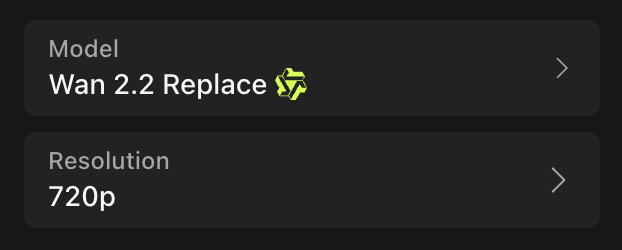
Choose the Wan 2.2 Replace model.
This model lets you upload a real video of yourself and map your movements onto the AI-generated version of you.
Upload two files:
- Your original talking video (this controls the motion).
- The AI costume image you made with Nano Banana.
The AI will analyze your expressions, head movements, and lip sync from the video. It then applies all of that to the costume image.
In just a few minutes, you’ll have a fully animated version of yourself wearing your AI-generated costume.
If you need even more control and higher resolution, you can go to Replicate.com and use the Wan 2.2 replace model there.
Your AI Costume, No Makeup Required
That’s it!
In just a few minutes, you created a full Halloween transformation using only AI.
No makeup. No filters. No hours of editing.
Just pure creativity powered by AI.
Try it yourself and see what you can become!